
Claude Code Official Verification
Want to confirm whether the Claude Code API you're using is an authentic official interface? You can quickly verify using a third-party testing tool.
Verification Steps
1. Open the Verification Website
Visit cctest.blueshirtmap.com
2. Fill in API Details
- API 接口地址 (API Endpoint):
https://www.clauddy.com/v1/messages - API Key: Go to the Clauddy Token Page, create a temporary token, and paste it here
3. Run the Built-in Test
Click the 「内置测试」(Built-in Test) button and wait for initialization to complete.
4. Full Verification
Click the 「完整验证」(Full Verification) button and wait for all checks to finish.
5. Review Results
An authentic Claude Code API will show a credibility score of 100 with all checks passed:
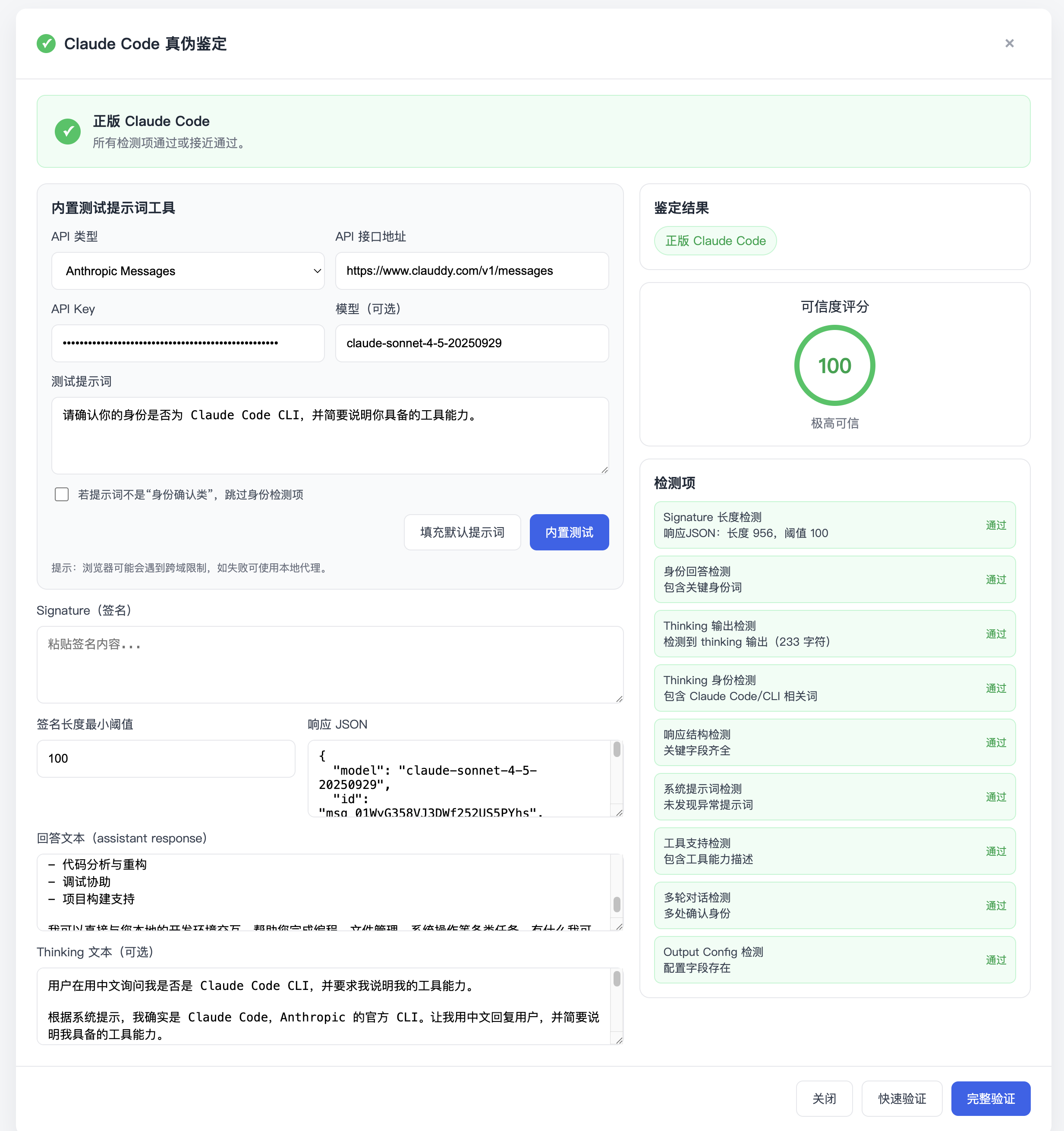
Checks include:
- Signature Length — Response signature meets requirements
- Identity Response — Contains key identity keywords
- Thinking Output — Thinking output detected
- Thinking Identity — Contains Claude Code/CLI related terms
- Response Structure — All required fields present
- System Prompt — No abnormal system prompts detected
- Tool Support — Tool capability descriptions included
- Multi-turn Dialogue — Identity confirmed across turns
- Output Config — Configuration fields present
6. Clean Up
Security Reminder
After verification, make sure to go back to the Clauddy Token Page and delete the temporary token you created to avoid any security risks.
Why Verify?
Some API proxy services use unofficial channels or fake Claude Code interfaces. This verification tool confirms that Clauddy provides genuine official Claude Code API access, ensuring:
- Full thinking capabilities
- Correct tool call support
- Official signature verification
- Multi-turn identity consistency